
Royal Ace Casino Mobile Site
Play Royal Ace Casino from your phone in Canada: how to open the site, fix connection problems, protect your bets and reach 24/7 support.
Page contents
- Opening Royal Ace Casino on your phone
- Is the site working right now?
- Keep your own incident log
- What happens to your bet when the connection drops
- Fixes by symptom
- On-screen messages and what to do
- Diagnostics in 60 seconds
- Account basics worth knowing on mobile
- Game studios in the lobby
- Playing responsibly from your phone
- FAQ
Opening Royal Ace Casino on your phone
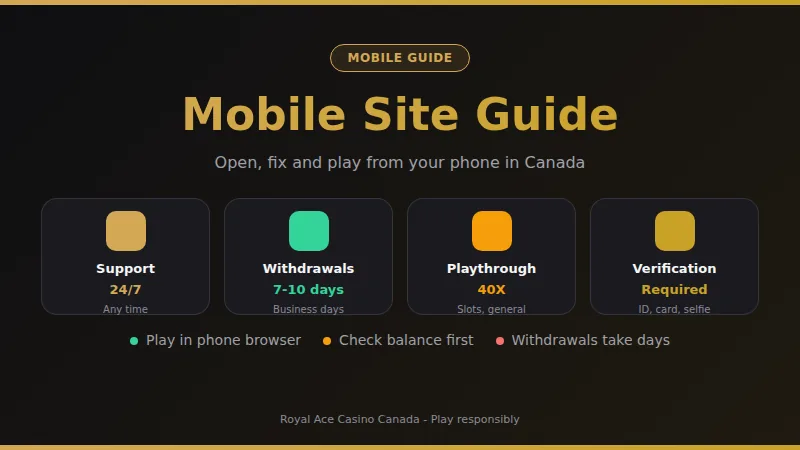
Open Royal Ace Casino in your phone's browser, log in and play. If the site stalls, check your signal, reload the page and look at your balance before betting again. Support is open 24/7 if the problem stays. This guide covers quick fixes, bet safety and a 60-second check.
The simplest way to play Royal Ace Casino on mobile is through your phone's browser. Type the address, log in with your account and the lobby loads like any other page. Use a current version of Safari on iPhone or Chrome on Android, and keep the screen unlocked while a round is running. For a shortcut, add the page to your home screen from the browser menu so it opens in one tap.
Step 1
Open your browser
Use an up-to-date browser and a stable Wi-Fi or mobile data connection.
Step 2
Type the address yourself
Avoid links from messages or unknown pages and enter the casino address directly.
Step 3
Log in
Use your account details. If you forgot your password, use the reset option on the login screen.
Step 4
Check your balance
Look at the balance shown before you start, so you can compare it after any interruption.
Step 5
Choose where to play
Go to the lobby, or open the sports section if you prefer betting to slots.
Is the site working right now?
The quickest honest test is a comparison. If other sites load on your connection but Royal Ace Casino does not, the problem is likely on the casino side or on the route to it. If nothing loads, the cause is your phone or network. Work through the list in order, since each step rules out one common cause.
- Open any news site in a new tab. If it loads, your connection works.
- Switch between Wi-Fi and mobile data, then retry the casino.
- Open the casino in a private tab to bypass stored data.
- Try a second browser on the same phone.
- Wait a few minutes and retry in case of short maintenance.
Keep your own incident log
A short personal log turns a vague complaint into something support can act on. Outages are rarely visible from the player side, so your own notes on time, device and what you saw are the most useful evidence. Write them down straight after the problem, while the details are fresh, and send everything in one message.
Date and time
- What to write
- Local time
Device
- What to write
- Phone model
Browser
- What to write
- Name, version
Connection
- What to write
- Wi-Fi or data
What you saw
- What to write
- Exact message
Game or page
- What to write
- Name
Balance
- What to write
- Before, after
Screenshots help more than descriptions. Send them through the Contact Us page so the support team sees the full picture.
What happens to your bet when the connection drops
A dropped connection is stressful mainly because you do not know whether the bet counted. In general, game rounds are processed on the game server rather than on your phone, so a round that already started can finish even if your screen froze. That is why your balance and the game history are the sources to trust, not what the frozen screen last showed.
- Reopen the same game and let any unfinished round load.
- Check the game history for your last bet.
- Compare your balance with what you expected.
- Do not repeat the bet until you have checked.
- If the numbers do not add up, contact support with your incident log.
If you were playing with a bonus, remember that bonus rules do not pause for a weak signal. The general terms set a 40X playthrough for slots and several other game types, and a deposit bonus amount is non-cashable and removed from withdrawal amounts. Note where you stopped, so you know your progress. Offers such as cashback and tournaments have their own pages.
Fixes by symptom
Page will not load
Switch between Wi-Fi and mobile data, close other tabs and retry. If nothing helps, test another browser before contacting support.
Login fails
Check for typing errors and caps lock, then use the password reset. Clear the browser's saved data if the form keeps reloading.
Game freezes
Do not press bet again. Reload the page, reopen the game and check balance and history for the last round.
Lag or choppy video
Close background apps, move closer to your router or switch networks. Weak mobile signal is the most frequent cause.
Deposit not showing
Refresh the page and check your bank app for a pending status. A credit card deposit counts as a cash advance with many issuers, so declines happen.
Cannot withdraw
Verification must be complete before any withdrawal, and requests are reviewed within 7 to 10 business days. Check your documents are uploaded first.
On-screen messages and what to do
Connection lost
- Likely cause
- Weak signal
- First fix
- Switch network
Session expired
- Likely cause
- Long inactivity
- First fix
- Log in again
Game won't load
- Likely cause
- Stored data
- First fix
- Clear cache
Access restricted
- Likely cause
- Location settings
- First fix
- Check location
Payment declined
- Likely cause
- Card issuer rule
- First fix
- Try another method
Verification required
- Likely cause
- Missing documents
- First fix
- Upload documents
No fixed list of numeric error codes is published for players, so the wording on screen is your best clue. Copy it exactly when you write to support, together with the time it appeared. If a game page fails to open, the message usually points to stored browser data, so clearing the cache is the first thing to try.
Diagnostics in 60 seconds
-
1
Seconds 0-10: signal
Look at your signal bars or Wi-Fi icon. Open another site to see if the internet works.
-
2
Seconds 10-20: reload
Pull down to refresh or reload the casino page once. Avoid repeated taps.
-
3
Seconds 20-30: change network
Switch from Wi-Fi to mobile data, or the other way round, and retry.
-
4
Seconds 30-40: private tab
Open the casino in a private tab to skip stored data and old sessions.
-
5
Seconds 40-50: restart
Close the browser fully, or restart the phone if the problem repeats.
-
6
Seconds 50-60: ask for help
Send your incident log and a screenshot through the Contact Us page. Support answers 24/7.
Account basics worth knowing on mobile
Most mobile problems are connection issues, but a few account rules also catch players out. Verification needs a government photo ID, copies of the card you used, a selfie and a utility bill. Photographing them with your phone camera before you request a first withdrawal avoids delays.
Withdrawal review
7-10 business days
Slots playthrough
40X, general rule
Deposit bonus
Non-cashable
Verification
Before any withdrawal
Game studios in the lobby
Slots and other titles on a phone come from several studios, and each game loads its own assets. If one title stalls while others run fine, the cause is usually that single game page, so reopen it or pick another game before assuming the whole site is down.
Big Time Gaming
Trigger Happy, Bonanza Falls, Book Of Gods
Quickspin
Adventures Beyond Wonderland Magical Maze, Ark of Mystery, Betty Bonkers
Hacksaw
Moneyplane Bail2Win, Speed Crash, Blocks
Playing responsibly from your phone
A phone is always in your pocket, so set your own limits before you start: how long you play and how much you spend. Take a break after a frustrating technical problem rather than chasing a lost round. If gambling stops being fun, free and confidential help is available from ConnexOntario and from responsiblegambling.org.
Royal Ace Casino mobile FAQ
Can I play Royal Ace Casino on my phone?
Yes, you can open the site in your phone's browser, log in and play. Use a current version of Safari or Chrome and a stable connection. Adding the page to your home screen gives you a one-tap shortcut.
What should I do if the site will not load?
Check that other sites load, switch between Wi-Fi and mobile data, and try a private tab or a second browser. If it still fails after a few minutes, send the time and a screenshot to support.
Is my bet lost if my connection drops mid-round?
Not necessarily. Rounds are generally processed on the game server, so a started round can finish. Reopen the game, check the history and your balance, and only then bet again. If something looks wrong, contact support.
When is support available?
Support is available 24/7, any day at any time. Use the Contact Us page and include the time, your device, the game and the message you saw, so the team can look into it faster.
Why is a deposit by credit card declined?
Many issuers treat a credit card deposit as a cash advance, which can lead to extra fees or a refusal. Check with your bank, or try another payment method shown in the cashier.
Do I need to verify my account before withdrawing?
Yes. Verification must be complete before any withdrawal. It requires a government photo ID, card copies, a selfie and a utility bill. Requests are then reviewed within 7 to 10 business days.
Why can I see different options in different places?
Your location can affect access, bonus use, free chip redemption and the deposit methods offered. Make sure your device location and connection match where you are in Canada.
Ready to Start Your Winning Journey?
Join thousands of Canadian players who've already discovered the Royal Ace Casino advantage. Your welcome bonus is waiting!
Written by Katie Evans
Casino Reviewer
Published Nov 13, 2026 · Updated Nov 13, 2026 · Checked Nov 13, 2026